


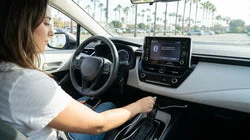
Quick Summary:
- Pair your phone, confirm calls and media audio work clearly.
- Test each USB port for charging speed using your own cable.
- Confirm USB data supports CarPlay or Android Auto, not charge-only.
- Check port locations and damage, and request a replacement car.
In California, it is common to collect a rental car and head straight onto busy freeways. A two minute check of Bluetooth and USB ports at the counter-side can save you from driving while distracted, losing navigation, or discovering that the only available socket is charge-only. If you are travelling for work, collecting family, or planning a coastal road trip, treat connectivity as part of the standard car hire handover, just like checking fuel level and existing scratches.
Before you pull away, remain parked and use your own phone and cable. You are confirming the essentials: hands-free calls, audio playback, and reliable charging. If something fails, it is far easier to swap cars or note an issue while you are still in the pickup area.
Bluetooth pairing checks, so hands-free actually works
Start with Bluetooth because it affects both calls and audio. On your phone, delete old pairings for similar vehicles if possible, then search for the car’s Bluetooth name. Pair once, approve contacts only if you want voice calling integration, and confirm the car shows your phone as connected for both calls and media.
Make one short test call, ideally to voicemail, and check three things: the car’s speakers play the other party clearly, the built-in microphone picks you up without shouting, and the steering wheel or screen controls can end the call. If the other party hears echo or you sound distant, try moving the phone away from cupholders or open storage where it may vibrate, then re-test.
If you are picking up near the Bay Area, you may be heading out quickly from car hire at San Jose Airport (SJC), so quick Bluetooth confidence helps you keep your eyes up in fast-moving traffic. For those comparing suppliers, some travellers arrange vehicles through pages such as Enterprise car rental at San Jose (SJC), where the same on-the-spot checks still apply at pickup.
USB port checklist: power, location, and physical condition
Next, find every USB outlet in the cabin. Typical locations include the centre console, below the infotainment screen, inside an armrest, or on the rear of the console for back-seat passengers. Count them, because the one you can see may not be the one that supports data. While you are there, look for damage: bent pins, cracked surrounds, loose sockets, or ports filled with debris. Any physical defect is worth reporting immediately, since it can ruin a cable or prevent stable charging.
Plug in your own cable and check that the phone begins charging. Then confirm the speed. If your phone shows “charging slowly”, try another port. Some vehicles have one higher-power outlet and one lower-power one, and rear outlets can be lower still.
Data versus charge-only: confirm CarPlay and Android Auto support
A common surprise in rental vehicles is a USB port that charges but does not enable CarPlay or Android Auto. With the car in park, connect your phone by cable and watch the infotainment screen for a prompt to enable CarPlay or Android Auto, or check the apps or phone menu.
If nothing appears, try a second cable, ideally a genuine or high-quality data cable, not a power-only one. Also try another USB port. Some cars label the data port with a small phone icon, “USB”, or a projection symbol, while other ports might be marked “charge” or show a battery icon.
Cables, adapters, and fit: avoid wobble and dropouts
With your cable connected, gently wiggle the plug at the port end. If charging flickers, the socket may be worn. Try a different port, or ask staff whether another car is available. Also check how the cable routes to your phone, and switch to a shorter cable if it blocks controls.
If your phone uses USB-C and the car has USB-A, you will need a USB-A to USB-C cable. If the car has only USB-C and you have an older phone with Lightning, you will need USB-C to Lightning. Do not assume the vehicle will include spares. It is wise to carry at least one known-good cable, and if you have both types in your group, bring one of each.
Counter-side troubleshooting: quick fixes that save time
If pairing fails, restart the phone and toggle Bluetooth off and on. Forget the car on your phone before re-pairing. For USB problems, try a different cable first, then a different port, and make sure the phone is unlocked when connecting for CarPlay or Android Auto.
If nothing works, ask for the issue to be noted on the rental agreement or request another vehicle. This is particularly helpful when you are collecting from larger hubs such as car rental in Sacramento (SMF), where there may be more vehicle options available on the spot.
Choosing the right vehicle type for device-heavy trips
If your group has multiple phones, tablets, and power banks, consider whether the cabin has enough accessible outlets. Minivans and larger SUVs often provide rear USB ports that keep passengers charged without fighting over the front console. If you are travelling with family, it can be useful to compare options like minivan rental in Sacramento (SMF) to ensure everyone can charge without distracting the driver.
Finally, remember that connectivity should never become a reason to handle your phone while moving. Do the checks once, confirm stability, set your destination, and then drive.
FAQ
Do all rental cars in California support Apple CarPlay or Android Auto? No. Many do, but availability varies by model year and trim. Confirm at pickup by plugging into each USB port and checking for a projection prompt.
What is the quickest way to tell if a USB port is charge-only? If your phone charges but CarPlay or Android Auto never appears, it may be charge-only. Try another port and a known data-capable cable to be sure.
My phone pairs for calls but not music, what should I check? In the Bluetooth device settings, ensure both “Phone” and “Media audio” are enabled. Also confirm the car’s audio source is set to Bluetooth, not radio.
Should I rely on wireless CarPlay or bring a cable anyway? Bring a cable. Wireless projection can be less stable, and a cable also provides dependable charging, especially on long California drives.
What should I do with my pairing information when returning the car? Remove the vehicle from your phone’s Bluetooth list and delete your phone from the car’s device list. This helps protect your privacy and prevents future auto-connect issues.





























































































